

Charging Service
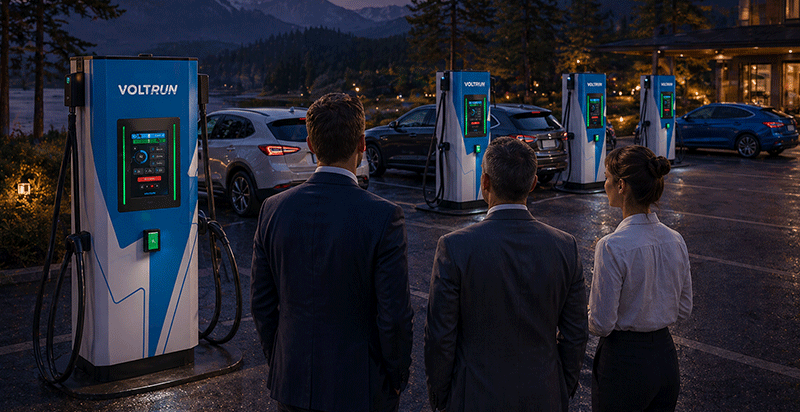
You can charge your vehicle using a compatible Type 2 cable at our AC charging stations, and using the station's CCS2 charging cable at our DC charging stations. You can easily start your charging session by scanning the QR code on the station screen with our VOLTRUN mobile app or by scanning your VOLTRUN CARD at the designated area on the station.
You can access the entire list of stations via the VOLTRUN mobile app and website. https://app.voltrun.com/cmp/#/map
You can instantly check the availability of charging stations via the mobile app and plan your charging session according to the station's status.
First, make sure your cable is plugged in correctly and your account information is complete. If the problem persists, you can call Voltrun Customer Service at +90 850 777 86 58 (VOLT) or contact us via WhatsApp.
All electric vehicles and plug-in hybrid vehicles can use our charging stations, regardless of brand and model.
You can view all details of your ongoing charging session on the VOLTRUN mobile app homepage.
By selecting the station you want to charge at via the VOLTRUN mobile app, you can see the distance between your current location and the station, and create a route by clicking the "Navigate" button.
To charge at our socketed AC stations, you must have an AC Type2 cable. DC units have a CCS2 type cable, so you can charge your vehicle directly without needing an additional cable.
AC units can provide up to 22 kW of power depending on the installed grid capacity and your vehicle's infrastructure. You can charge your vehicle from 20% to 80% in an average of 2-4 hours. DC stations offer up to 500 kW of power depending on the unit capacity and your vehicle's infrastructure. You can charge your vehicle from 20% to 80% usually between 20-45 minutes.
Scan your VOLTRUN CARD at the marked area on the unit and plug your charging cable into your car. The charging process will start shortly.
To end your ongoing charging session, scan your VOLTRUN CARD at the marked area on the unit. You can then unplug your cable by following the instructions on the unit screen.
In the mobile app, you can select your favorite stations by choosing the relevant station and clicking the "heart" icon on the information card. You can access the list of your favorite stations by tapping the "heart" icon in the lower left corner of the homepage.
Select "My Discounts & Points" from the Voltrun Mobile app menu. On the page that opens, you can make your selections using the "Set My Home Station" and "Set My Work Station" buttons and start benefiting from the campaign.
Pricing / Payment
The charging fee is calculated and billed by multiplying the amount of energy transferred to your vehicle by the unit tariff of the socket you charged from, according to the tariff at the start of the transaction. Any defined discounts are automatically applied at the end of the transaction. You can find detailed information about our charging service tariffs on the "Tariffs" page on our website or through our mobile app.
You can easily access the details of all charging sessions you have performed during your membership from the "My Transactions & Invoices" area in your Mobile app or by logging in as a member on voltrun.com and navigating to the "My Invoices" area.
For individual users, charging payments are automatically collected from the credit card registered to your account.
Your card details are protected by secure payment systems and are not shared with third parties.
You can easily access the payment and invoice details of all charging sessions you have made during your membership from the "My Transactions & Invoices" area in your Mobile app or by logging in as a member on voltrun.com and navigating to the "My Invoices" area.
Membership
To start your charging sessions easily and quickly, you can download the Voltrun app to your phone, click the "Sign Up" button on the home screen, follow the instructions, and easily become a member. After your membership is completed, you can request a VOLTRUN Card to be sent to your address, which you can use for charging sessions if you wish.
You can create different users under your current membership account. Each user will have a different Username and Password and will be able to perform charging sessions without your intervention. This way, you can track all charging sessions and usage information of your family under a single account.
You can renew your password by clicking on the "Forgot Password" option on the mobile app login screen or the membership portal page and following the instructions. If you experience problems, you can get support by calling VOLTRUN Customer Service at +90 850 777 86 58 (VOLT).
You can follow the steps indicated on the screen for the areas you want to change on the Mobile App "My Account" page and make the necessary updates.

Get a Quote
Contact UsLet's Build
the Future Together